> ## Documentation Index
> Fetch the complete documentation index at: https://docs.galileo.ai/llms.txt
> Use this file to discover all available pages before exploring further.
# Overview
> Learn how to get started with the Galileo sample projects that are included in every new account
When you create a new Galileo account or organization, you get a set of sample projects, pre-populated with Log streams, calculated metrics, and insights.
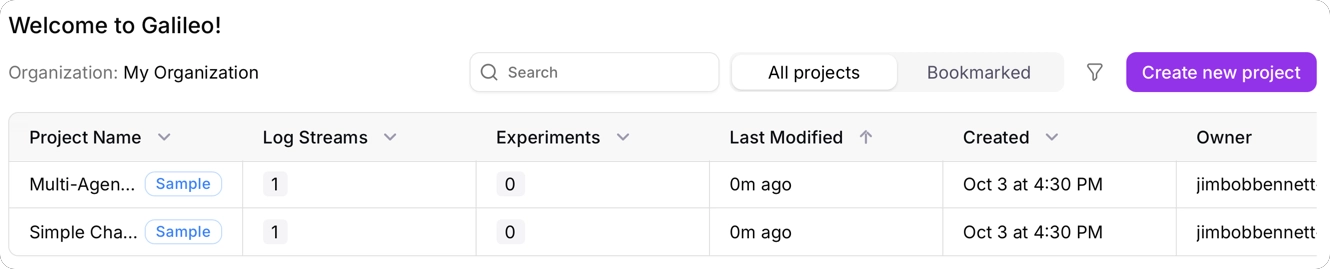 These projects are:
* [A simple terminal-based chatbot to chat with an LLM](/getting-started/sample-projects/simple-chatbot)
* [Preset Metric Examples to explore out-of-the-box metrics](/getting-started/sample-projects/preset-metric-examples)
* [A multi-agent banking chatbot with LangGraph](/getting-started/sample-projects/multi-agent)
You can use these sample projects to learn how to navigate Log streams, understand metrics, use insights, log your AI applications, or run experiments in code.
Learn more about the simple chatbot sample project
Explore curated Log Streams for out-of-the-box metrics
Learn more about the multi-agent banking chatbot with LangGraph sample project
These projects are:
* [A simple terminal-based chatbot to chat with an LLM](/getting-started/sample-projects/simple-chatbot)
* [Preset Metric Examples to explore out-of-the-box metrics](/getting-started/sample-projects/preset-metric-examples)
* [A multi-agent banking chatbot with LangGraph](/getting-started/sample-projects/multi-agent)
You can use these sample projects to learn how to navigate Log streams, understand metrics, use insights, log your AI applications, or run experiments in code.
Learn more about the simple chatbot sample project
Explore curated Log Streams for out-of-the-box metrics
Learn more about the multi-agent banking chatbot with LangGraph sample project