> ## Documentation Index
> Fetch the complete documentation index at: https://docs.galileo.ai/llms.txt
> Use this file to discover all available pages before exploring further.
# Add Galileo to a CrewAI Application
> Learn how to add logging and evaluations with Galileo to an existing CrewAI application
{/**/}
## Overview
This guide explains how to add logging and evaluations with Galileo to an existing CrewAI application.
In this guide you will:
1. [Set up a project with Galileo](#install-dependencies)
2. [Load environment variables if necessary](#load-environment-variables-if-necessary)
3. [Add the Galileo event listener](#add-the-galileo-event-listener)
4. [Run your crew](#run-your-crew)
## Before you start
To complete this how-to, you will need:
* An agentic application built with [CrewAI](https://www.crewai.com). This guide assumes you have a `run()` function as your entry point.
> If you don't have a CrewAI application, you can follow the [**Build your first Crew** guide from the CrewAI documentation](https://docs.crewai.com/en/guides/crews/first-crew).
* A [Galileo project](/concepts/projects) configured, with [relevant metrics configured](/concepts/metrics/overview)
* Your [Galileo API key](https://app.galileo.ai/settings/api-keys)
## Install dependencies
To use Galileo, you need to install some package dependencies, and configure environment variables.
Install the required dependencies for your app. Create a virtual environment using your preferred method, then install dependencies inside that environment using your preferred tool:
```bash Pip theme={null}
pip install galileo
```
```bash uv theme={null}
uv pip install galileo
```
```bash Poetry theme={null}
poetry add galileo
```
Install `python-dotenv` if you don't already have this installed.
```bash Pip theme={null}
pip install python-dotenv
```
```bash uv theme={null}
uv pip install python-dotenv
```
```bash Poetry theme={null}
poetry add python-dotenv
```
```ini .env theme={null}
# Your Galileo API key
GALILEO_API_KEY="your-galileo-api-key"
# Your Galileo project name
GALILEO_PROJECT="your-galileo-project-name"
# The name of the Log stream you want to use for logging
GALILEO_LOG_STREAM="your-galileo-log-stream "
# Provide the console url below if you are using a
# custom deployment, and not using the free tier, or app.galileo.ai.
# This will look something like “console.galileo.yourcompany.com”.
# GALILEO_CONSOLE_URL="your-galileo-console-url"
```
This assumes you are using a free Galileo account. If you are using a custom deployment, then you will also need to add the URL of your Galileo Console:
```ini .env theme={null}
GALILEO_CONSOLE_URL=your-Galileo-console-URL
```
## Load environment variables if necessary
Galileo needs values like the API key and project name set as environment variables. If you are not already loading a `.env` file, then you need to do so.
You can skip this step if you are already loading the `.env` file.
Add the following code at the top of your `main.py` file to import `dotenv` and load the `.env` file.
```python Python theme={null}
from dotenv import load_dotenv
load_dotenv()
```
This assumes you are following the same structure as the sample CrewAI applications. If you are not, add this to the top of the file that contains the entry point of your application.
## Add the Galileo event listener
To enable logging with Galileo, you need to create an instance of the `CrewAIEventListener`.
Add the following code at the top of your `main.py` file:
```python Python theme={null}
from galileo.handlers.crewai.handler import CrewAIEventListener
```
This assumes you are following the same structure as the sample CrewAI applications. If you are not, add this to the top of the file that contains the entry point of your application.
At the start of your `run` function, create the event listener:
```python Python theme={null}
def run():
# Create the event listener
CrewAIEventListener()
# The rest of your existing code goes here
```
When you create the listener instance, it is automatically registered with CrewAI.
## Run your crew
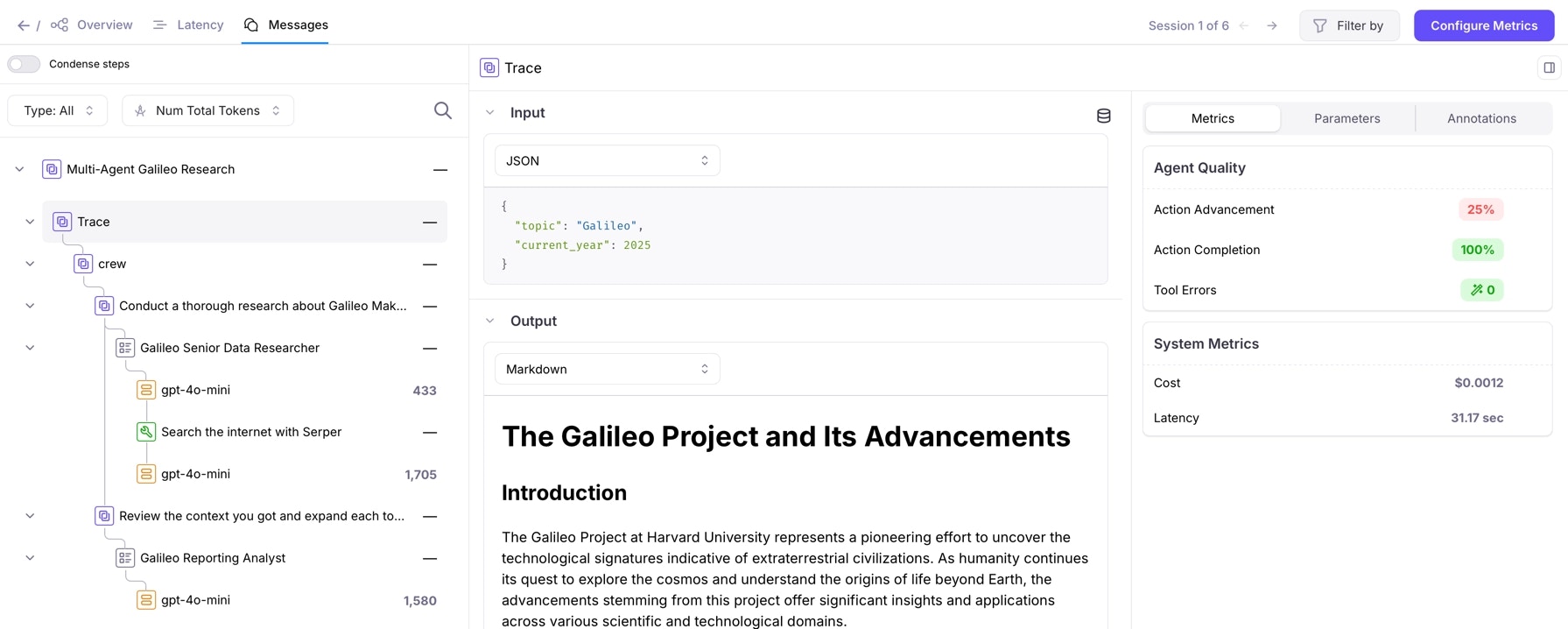
You are now ready to run your crew, and see the logged traces in Galileo.
Run your crew with the CrewAI CLI:
```bash Terminal theme={null}
crewai run
```
Once your crew has finished, the traces will be flushed an appear in Galileo.
 ## See also
* [Galileo CrewAI event listener](/sdk-api/third-party-integrations/crewai/crewai)
* [`CrewAIEventListener` Python SDK reference](/sdk-api/python/reference/handlers/crewai/handler)
## See also
* [Galileo CrewAI event listener](/sdk-api/third-party-integrations/crewai/crewai)
* [`CrewAIEventListener` Python SDK reference](/sdk-api/python/reference/handlers/crewai/handler)