> ## Documentation Index
> Fetch the complete documentation index at: https://docs.galileo.ai/llms.txt
> Use this file to discover all available pages before exploring further.
# OpenAI Agents SDK
> Learn how to send traces from the OpenAI Agents SDK to Galileo for evaluation
{/**/}
The OpenAI Agents SDK uses has built in tracing to log agent runs, and this can be extended to log to platforms like Galileo. The Galileo Python SDK has a custom [OpenAI tracing processor](https://openai.github.io/openai-agents-python/tracing/#custom-tracing-processors) that logs all agent events, allowing you to evaluate your agentic apps using Galileo metrics.
The GalileoTracingProcessor SDK reference.
Get hands on integrating Galileo into an agentic app using the OpenAI Agents SDK.
## Log an OpenAI Agent app
To log OpenAI Agent apps to Galileo, you need to create an instance of the [`GalileoTracingProcessor`](/sdk-api/python/reference/handlers/openai_agents#galileotracingprocessor-objects), and set this as the default tracing processor for your agent using the [`set_trace_processors`](https://openai.github.io/openai-agents-python/ref/tracing/#agents.tracing.set_trace_processors) function from the OpenAI Agents SDK.
```python Python theme={null}
from galileo.handlers.openai_agents import GalileoTracingProcessor
from agents import set_trace_processors
# Create a Galileo tracing processor
# and set it as the OpenAI tracing processor
set_trace_processors([GalileoTracingProcessor()])
```
Once this is set, all agent events, such as tool calls, handoffs, and generations, will be logged to Galileo.
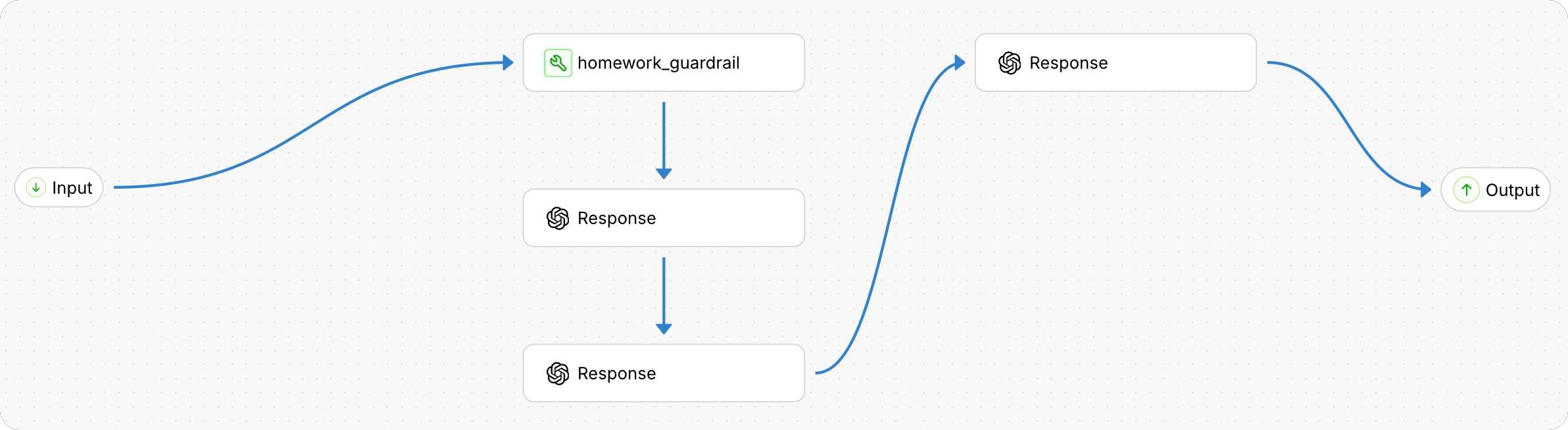
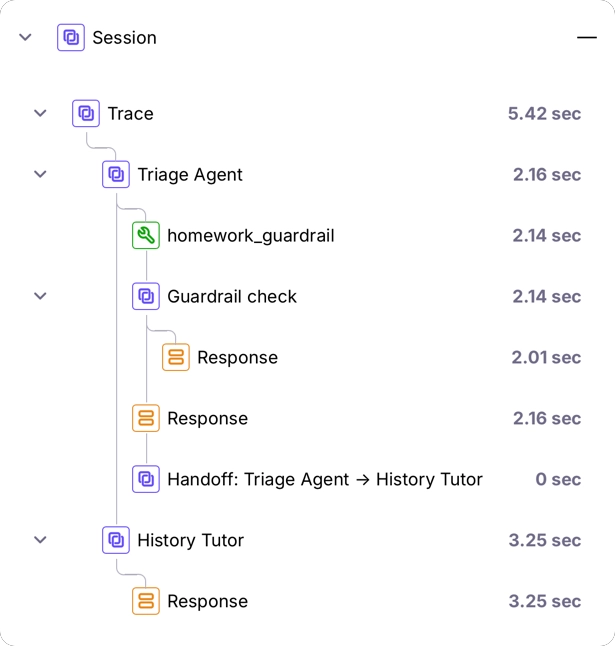 By default the tracing processor using the current logger at the time it is created. For example, if you create this processor in a function that is decorated with the `@log` wrapper, then the processor will log to the same logger.
You can override this by passing a [GalileoLogger](/sdk-api/logging/galileo-logger) into the `GalileoTracingProcessor` constructor.
```python Python theme={null}
from galileo import GalileoLogger
from galileo.handlers.openai_agents import GalileoTracingProcessor
from agents import set_trace_processors
# Create a logger
logger = GalileoLogger()
# Create a Galileo tracing processor using the existing logger
# and set it as the OpenAI tracing processor
set_trace_processors([GalileoTracingProcessor(galileo_logger=logger)])
```
## Next steps
Log with full control over sessions, traces, and spans using the Galileo logger.
Quickly add logging to your code with the log decorator and wrapper.
Manage logging using the Galileo context manager.
By default the tracing processor using the current logger at the time it is created. For example, if you create this processor in a function that is decorated with the `@log` wrapper, then the processor will log to the same logger.
You can override this by passing a [GalileoLogger](/sdk-api/logging/galileo-logger) into the `GalileoTracingProcessor` constructor.
```python Python theme={null}
from galileo import GalileoLogger
from galileo.handlers.openai_agents import GalileoTracingProcessor
from agents import set_trace_processors
# Create a logger
logger = GalileoLogger()
# Create a Galileo tracing processor using the existing logger
# and set it as the OpenAI tracing processor
set_trace_processors([GalileoTracingProcessor(galileo_logger=logger)])
```
## Next steps
Log with full control over sessions, traces, and spans using the Galileo logger.
Quickly add logging to your code with the log decorator and wrapper.
Manage logging using the Galileo context manager.