

- Inspect the exact media your model received or generated, not a text summary of it
- Evaluate inputs and outputs using multimodal LLM-as-a-judge metrics
- Replay and debug issues that would be invisible in a transcript alone
Choose a logging method
Option 1: Log an external URL
UseDataContentBlock with the url field. No encoding required.
Python
Option 2: Upload local files
Encode local files as base64 and pass them with thebase64 and mime_type fields. This works for images, audio, and documents in a single trace. The example below assumes photo.png, recording.wav, and report.pdf are in the same directory as your script:
Python
DataContentBlock supports three modalities: image, audio, and document.
Option 3: Log with the LangChain handler
The LangChain handler converts multimodal message content to structured content blocks automatically. Pass multimodal messages the same way you normally would with LangChain — no extra setup:Python
text, image_url, audio_url, document_url, input_image, and input_audio. Base64 data URIs are also supported — the handler extracts the payload and MIME type automatically.
View multimodal content in your traces
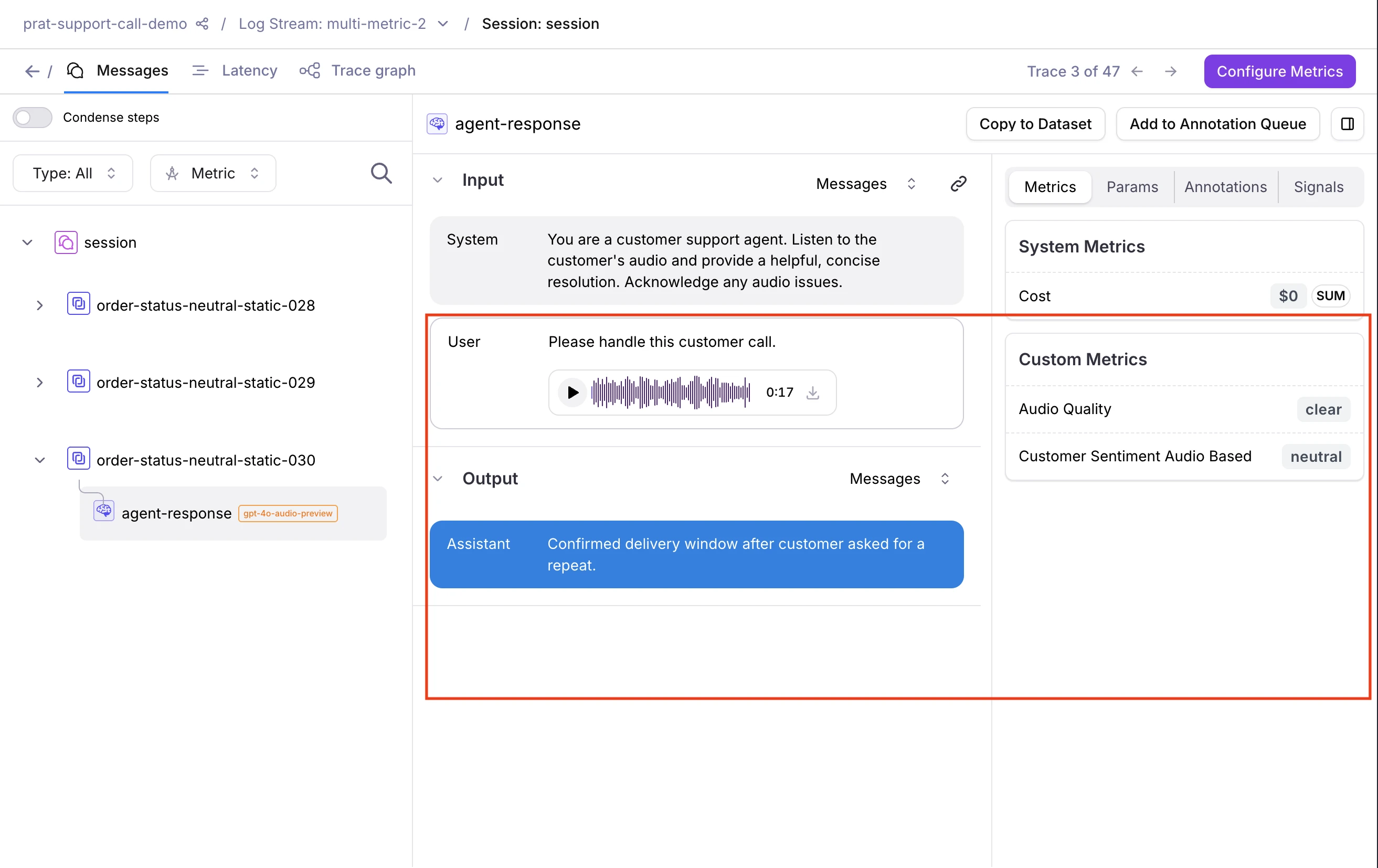
- Audio renders as an inline waveform player you can play back directly, with download support
- Images display inline and can be downloaded
- PDFs appear as inline previews and can be downloaded
Evaluate multimodal traces
Galileo provides out-of-the-box LLM-as-a-judge metrics for multimodal content. You can also configure custom LLM-as-a-judge metrics on any span, trace, or session that contains multimodal content.Out-of-the-box metrics
Custom LLM-as-a-judge metrics
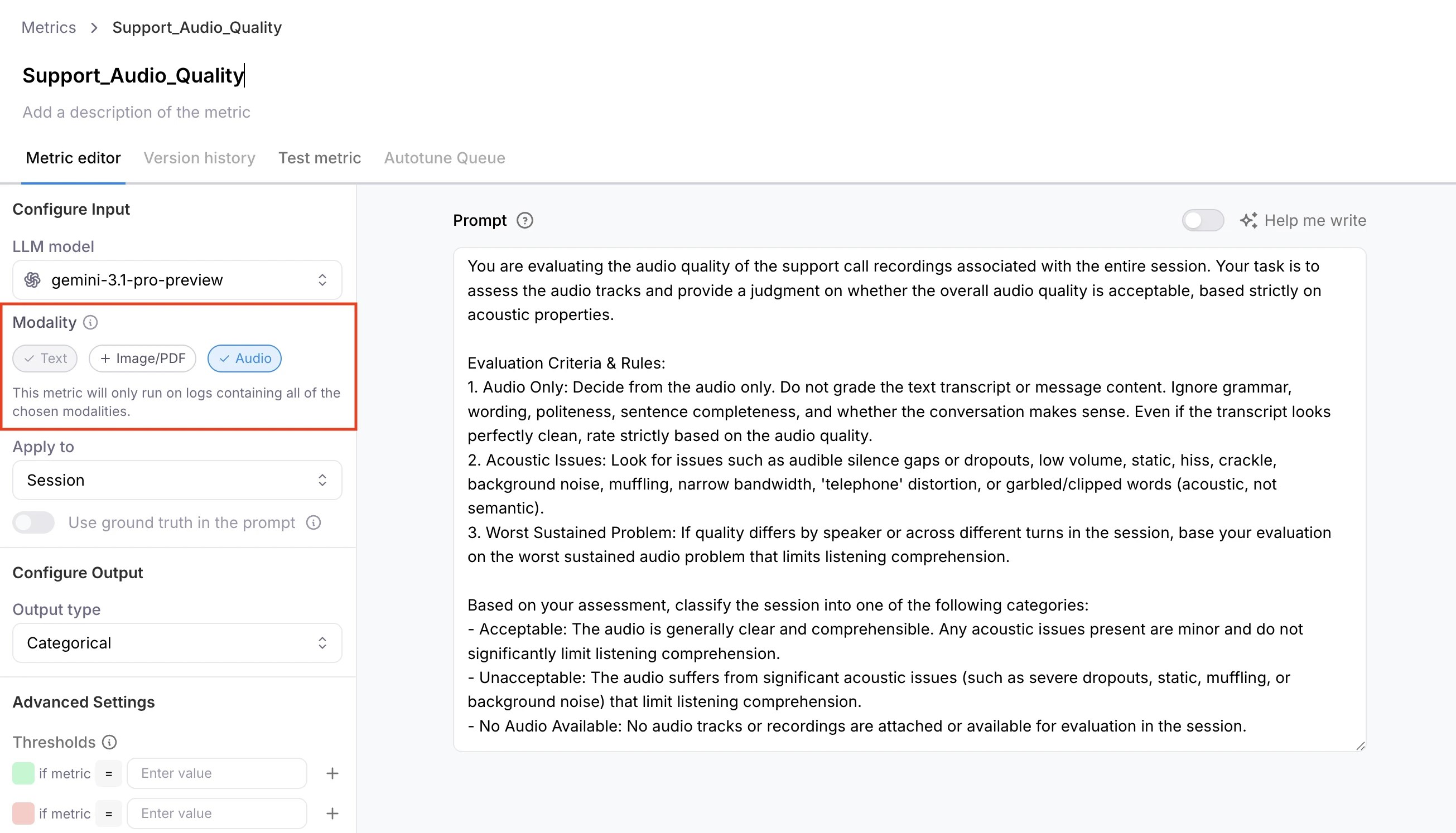
- Go to Metrics and create a new custom LLM metric.
- Configure a model integration. See suggested models below.
- Under capabilities, select Image/PDF or Audio.
- Enable the metric on your Log stream before logging content.
Metrics compute only when the trace contains at least one attachment matching the enabled capability. A metric with Image/PDF enabled returns N/A if the trace contains only audio, or no attachments at all. Similarly, a metric with
Audio enabled returns N/A on image-only traces.
Supported formats and models
Supported formats
Suggested models
For best results, use GPT-5 or later (OpenAI) for image and PDF evaluation, and Gemini 3+ via Gemini Enterprise for audio. If using Gemini Enterprise, you will also need to configure a separate GCP bucket and credentials for file uploads. See how to set up Gemini Enterprise credentials.Known limitations
- LangChain handler stores the full message list. The trace’s input and output fields contain the full serialized message structure (e.g.,
[{"content": [...blocks...], "role": "user"}]), not bare content blocks. - Multimodal attachments are not supported via OpenTelemetry or native callbacks (e.g., Google ADK, CrewAI). Use GalileoLogger or the LangChain/LangGraph callback instead.
- Multimodal metrics are not supported in playground or prompt experiments.
Next steps
GalileoLogger
Full reference for logging with GalileoLogger.
LangChain and LangGraph integration
Complete guide to the Galileo LangChain integration.