

The OpenAI Agents SDK uses has built in tracing to log agent runs, and this can be extended to log to platforms like Galileo. The Galileo Python SDK has a custom OpenAI tracing processor that logs all agent events, allowing you to evaluate your agentic apps using Galileo metrics.Documentation Index
Fetch the complete documentation index at: https://docs.galileo.ai/llms.txt
Use this file to discover all available pages before exploring further.
GalileoTracingProcessor
The GalileoTracingProcessor SDK reference.
Integrate Galileo into an OpenAI Agents SDK app
Get hands on integrating Galileo into an agentic app using the OpenAI Agents SDK.
Log an OpenAI Agent app
To log OpenAI Agent apps to Galileo, you need to create an instance of theGalileoTracingProcessor, and set this as the default tracing processor for your agent using the set_trace_processors function from the OpenAI Agents SDK.
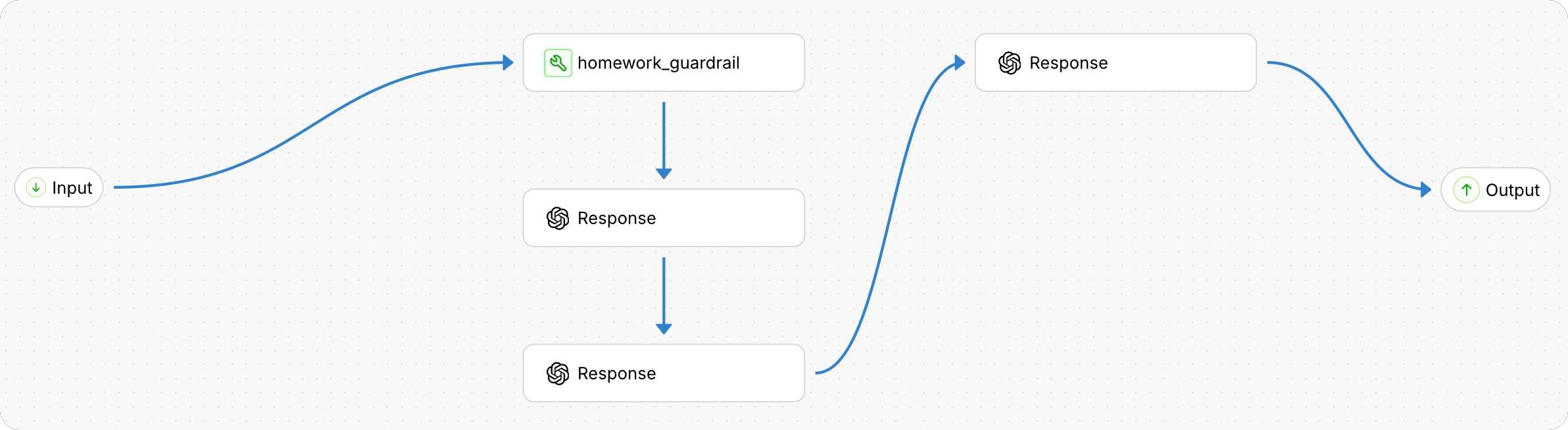
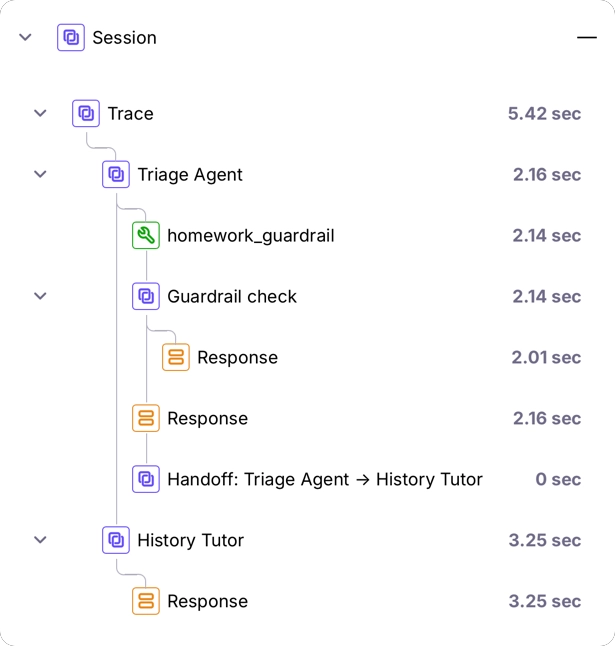
@log wrapper, then the processor will log to the same logger.
You can override this by passing a GalileoLogger into the GalileoTracingProcessor constructor.
Next steps
Galileo logger
Log with full control over sessions, traces, and spans using the Galileo logger.
Log decorator
Quickly add logging to your code with the log decorator and wrapper.
Galileo context
Manage logging using the Galileo context manager.