

Configure Galileo for Out-of-the-Box and LLM-as-a-judge metrics
Most Out-of-the-Box metrics and all LLM-as-a-judge metrics are LLM-based metrics. LLM-based metrics use an LLM to evaluate inputs and outputs. To use these metrics from Log Streams or Experiments, you first need to configure an integration with an LLM platform.1
Navigate to the Integrations page
In the Galileo console UI, navigate to the LLM integrations page by opening the user menu on the bottom-left corner, and then selecting Integrations.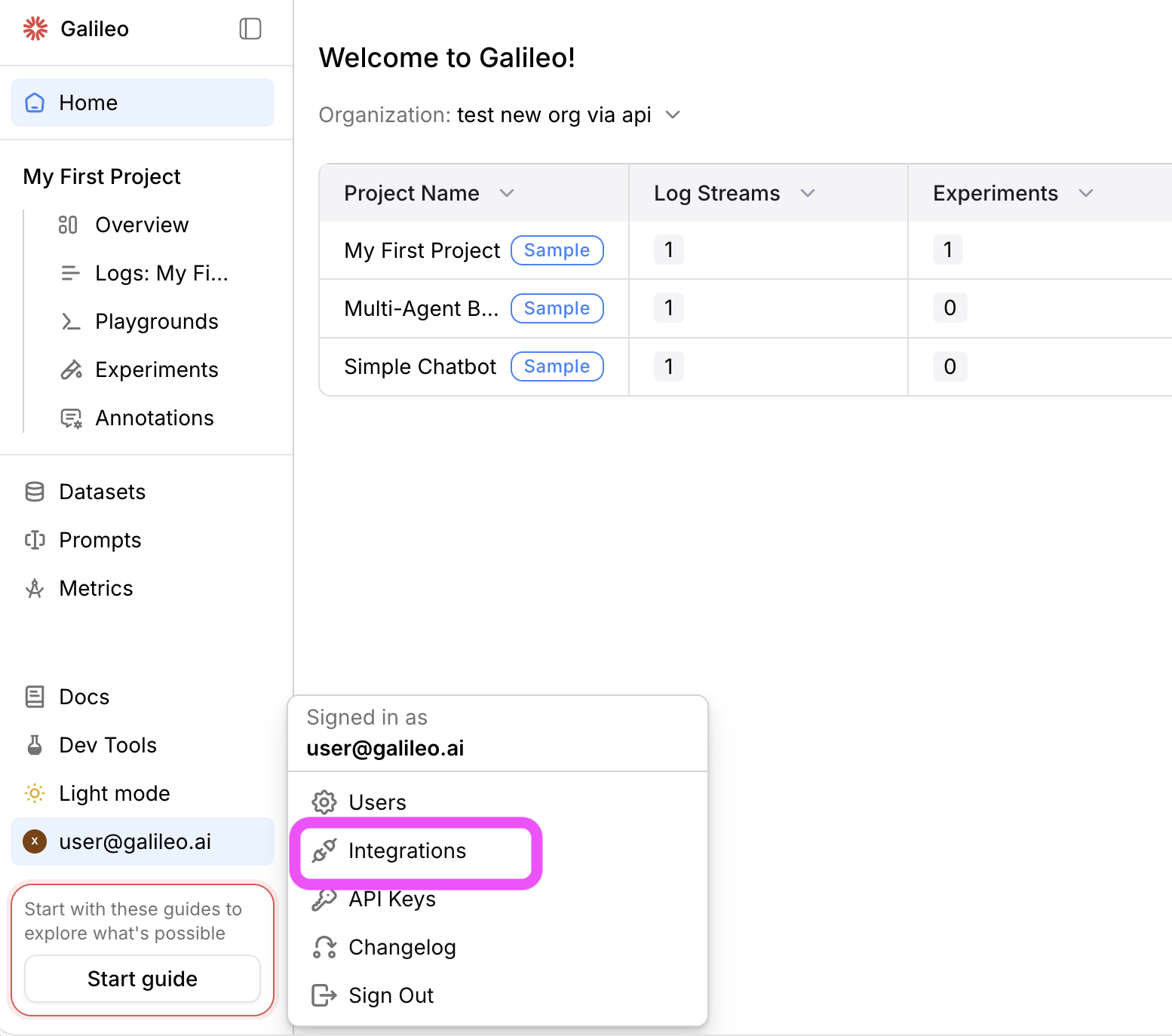
2
Add an integration
Locate the LLM provider you are using (or specify a custom integration), then select the +Add Integration button.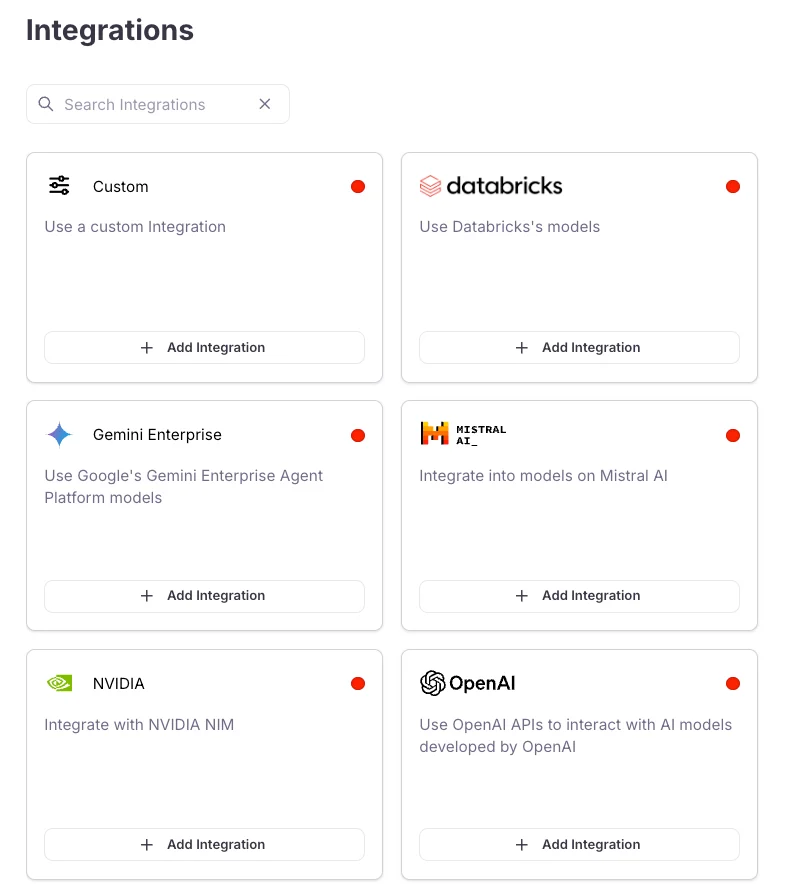
3
Add settings
Specify settings for your integration (such as an API key), then select Save changes.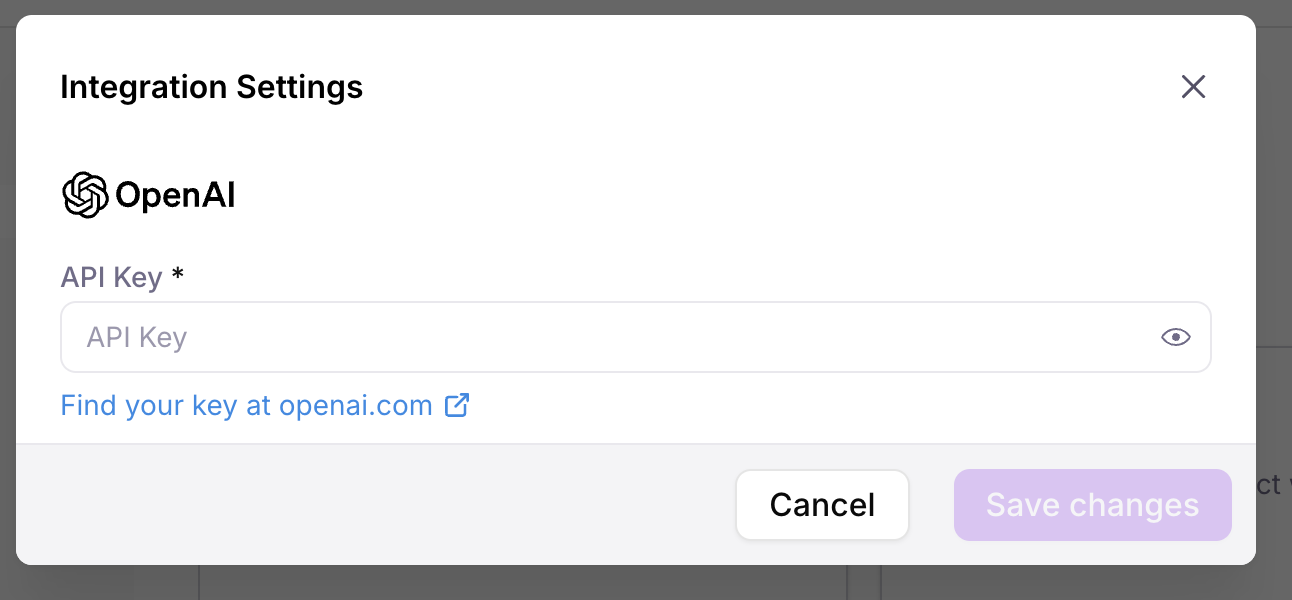
Using metrics effectively
To get the most value from Galileo’s metrics:- Start with key metrics - Focus on metrics most relevant to your use case
- Establish baselines - Understand your current performance before making changes
- Track trends over time - Monitor how metrics change as you iterate on your system
- Combine multiple metrics - Look at related metrics together for a more complete picture
- Set thresholds - Define acceptable ranges for critical metrics
- Improve the metrics - Use CLHF to continuously improve the metrics
Out-of-the-Box metric categories
Our metrics can be broken down into seven key categories, each addressing a specific aspect of AI system performance. You may benefit from using metrics from more than one category. Galileo also supports custom metrics that are able to be implemented alongside the Out-of-the-Box metric options. The Metrics Comparison provides a full list of the Out-of-the-Box metrics for each category.1. Agentic performance metrics
Agentic Performance Metrics evaluate how effectively AI agents perform tasks, use tools, and progress toward goals.2. Expression and readability metrics
Expression And Readability Metrics assess the style, tone, clarity, and overall presentation of AI-generated content.3. Multimodal quality metrics
Multimodal Quality Metrics evaluate whether multimodal inputs and outputs (such as images and audio conversations) are usable and compliant for the task at hand.4. Response quality metrics
Response Quality Metrics help you evaluate how correctly, consistently, and in line with ground truth your AI follows instructions and answers user queries in any setting — with or without RAG (correctness, instruction adherence, ground truth adherence).5. RAG metrics
RAG Metrics help you evaluate retrieval and generation quality in RAG pipelines, including retrieval quality (chunk relevance, context relevance, context precision, Precision @ K) and generation quality (context adherence, completeness).6. Safety and compliance metrics
Safety And Compliance Metrics identify potential risks, harmful content, bias, or privacy concerns in AI interactions.7. Text-to-SQL metrics
Text-to-SQL metrics evaluate the accuracy and effectiveness of SQL queries generated by AI models from natural language inputs.Next steps
Custom LLM-as-a-judge metrics
Learn how to create evaluation metrics using LLMs to judge the quality of responses
Custom code-based metrics
Learn how to create, register, and use custom metrics to evaluate your LLM applications
Improve LLM-as-a-Judge Metrics with Autotune
Learn how to improve your LLM-as-a-judge metrics using expert feedback with Autotune