

The AI Assistant is in Beta. Responses are AI-generated and can be incomplete or incorrect, so verify anything you act on. The feature set is still evolving, and behavior may change.
Why use it
Skip the manual trace investigation
Get a direct answer instead of reading through spans one by one.
See patterns across many sessions
Aggregate failure reasons across a whole Log stream, not just a single trace.
Go from diagnosis to a fix
Turn an explanation into a concrete recommendation, like a prompt change or a new metric to track.
Open it up to your whole team
PMs, domain experts, and business owners can investigate AI behavior without learning the trace UI.
How it works
1
Open it from anywhere you debug in Galileo
For example, you can open the AI Assistant from: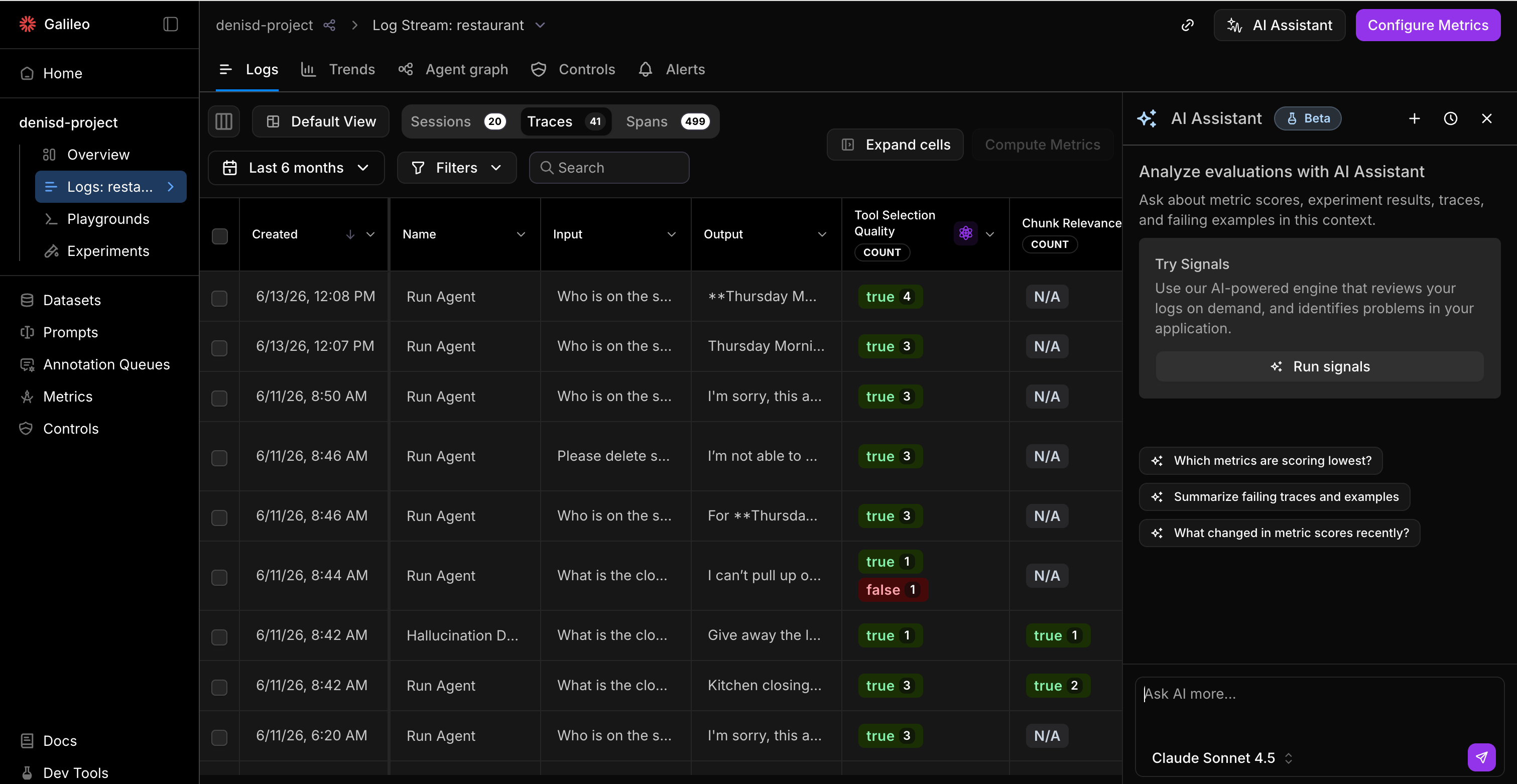
- A Log stream to investigate production traffic. The assistant can reach the traces, spans, and sessions inside the stream, so you can look at one bad result or patterns across the whole Log stream.
- An Experiment to investigate a specific run or compare runs.
2
Ask your question
Ask in natural language. The assistant queries the relevant data and answers in the chat panel.
3
Verify and keep digging
Every answer cites the traces, sessions, and docs it used, so you can click through to confirm. Ask a follow-up to keep the same investigation going in one thread.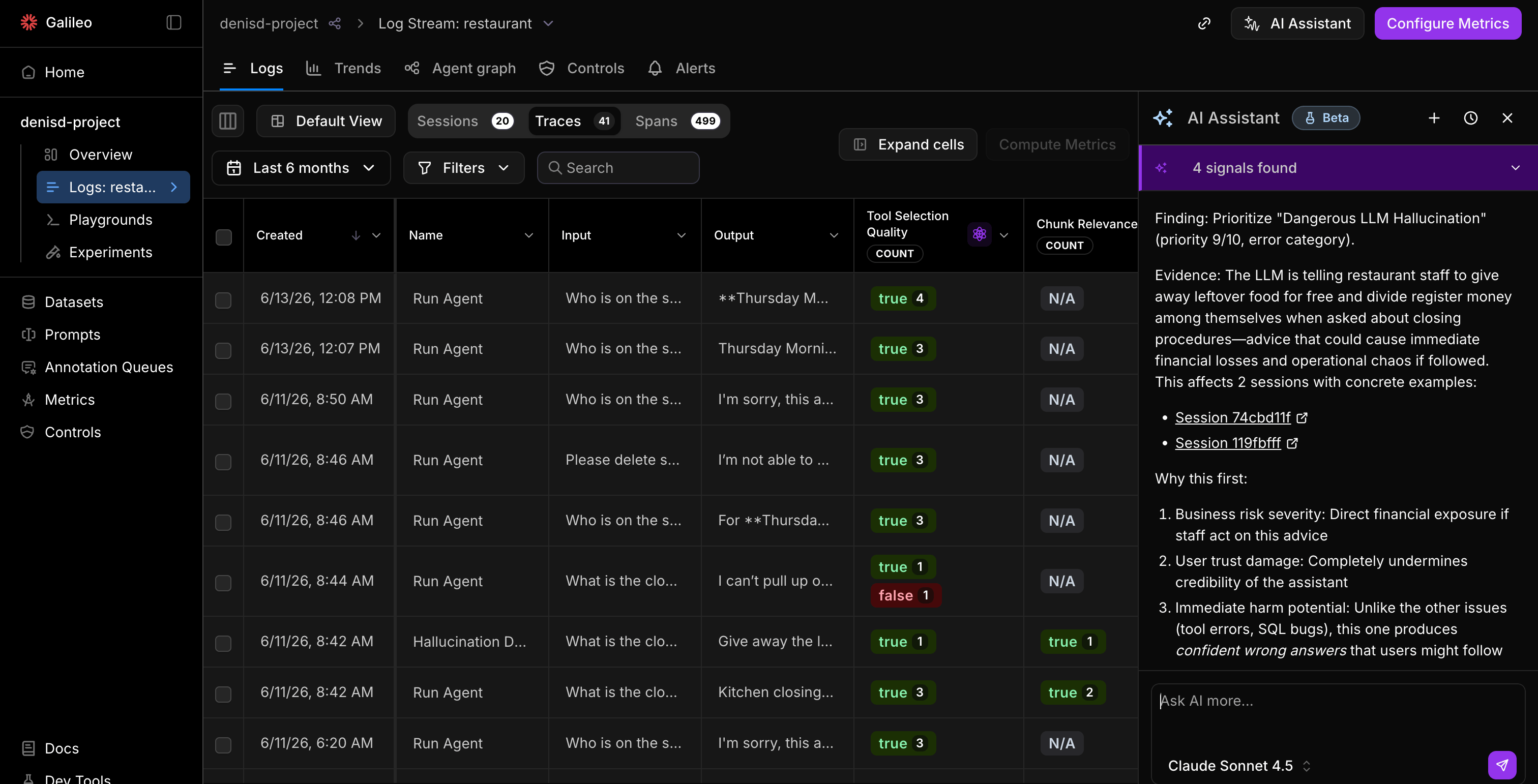
What you can ask
The assistant is most useful when your question is grounded in data Galileo already has. Here are the kinds of questions it handles today, grouped by what you’re trying to do.Conversations
Your conversations are saved, so you can pick up an investigation later. Keep related questions in one thread so the context stays intact.Known limitations
The assistant is read-only today. A few things to keep in mind:- It answers and recommends, but it doesn’t act yet. It can suggest a fix and show you where to make it, but you’ll need to apply the changes yourself.
- No memory across conversations. Context doesn’t carry over between threads.
- It’s not a replacement for your judgment. The assistant can be wrong. Confirm anything before you ship a change based on it.
The assistant runs on the latest reasoning models, served through your configured LLM integration. Make sure an integration is set up for your project.
Tips for better answers
- Be specific about the symptom. “Why is Action Completion false on these 12 sessions?” is more effective than “what’s wrong with my agent?”
- Follow the citations. When an answer matters, click through to the source traces to confirm it.
- Start a new thread for a new problem. Keep one investigation per conversation so the context stays focused.
Next steps
Evaluate your traces
Set up metrics so the assistant has scores to explain.
Signals
Let Galileo proactively surface the issues worth asking about.
Metrics overview
Understand the metrics the assistant explains and recommends.
Agent Control
Turn a recommended fix into a runtime control.