

Get the code
Get the code for the sample project. You can find this project by cloning the Galileo SDK Examples repo.The code for this project is in the
/python/agent/langgraph-fsi-agent/after/ or /typescript/agent/langgraph-fsi-agent/ folder.Evaluate the app
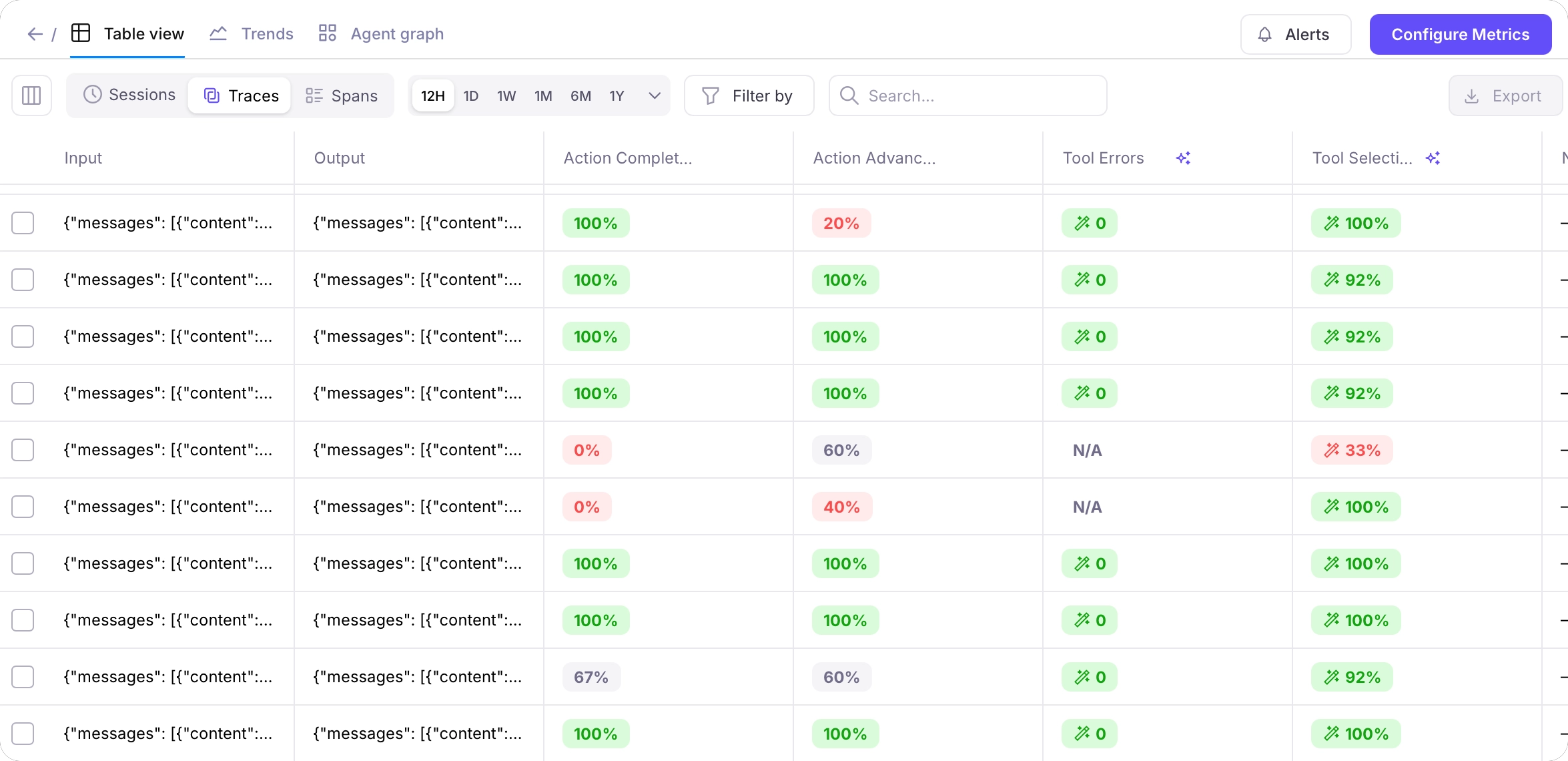
The sample project comes with a Log stream pre-populated with a set of traces for some sample interactions with the chatbot - some asking relevant questions, some asking questions unrelated to the banking agents capabilities.Investigate the Log stream
Navigate to the Default Log stream by selecting this project, and selecting the Default Log stream in the dashboard.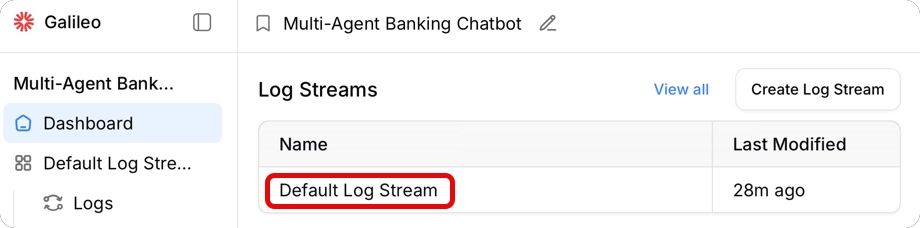
Get insights
Galileo has an Insights Engine that reviews your traces and metrics, and gives suggestions to improve your application. To generate insights, select the Log Stream Insights button.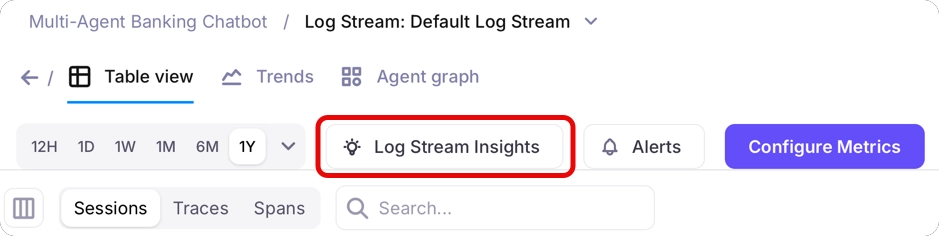
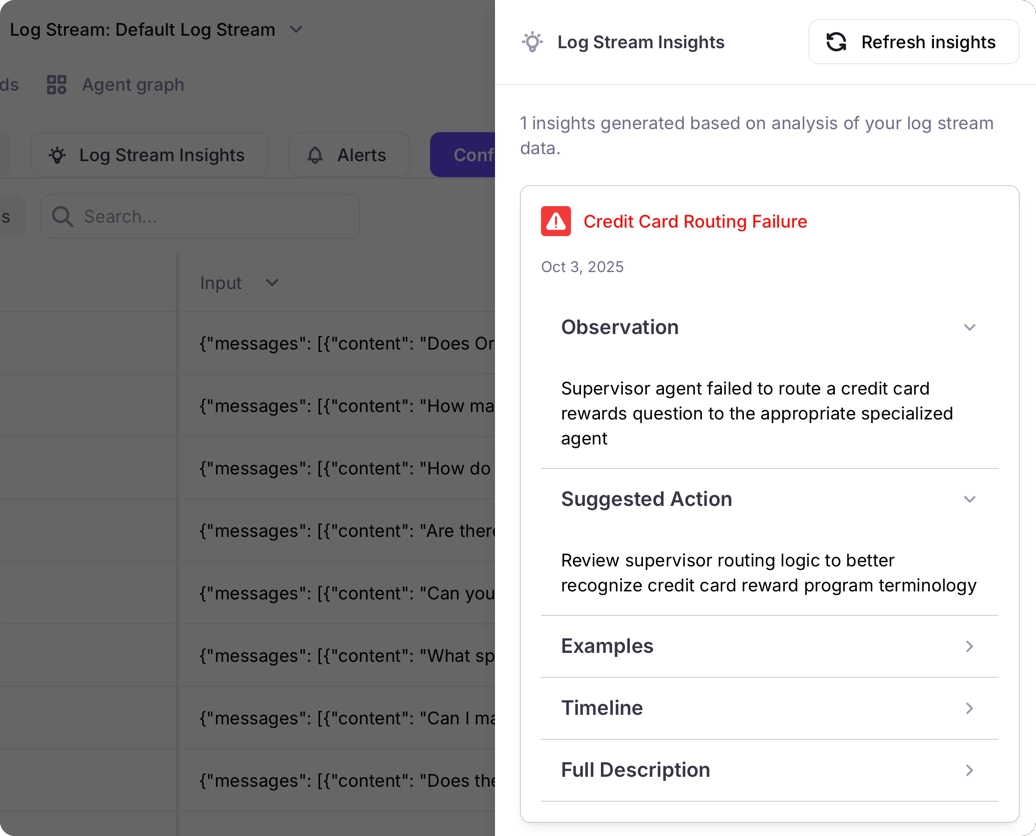
Summary The supervisor agent exhibits inconsistent behavior that undermines the multi-agent system’s effectiveness. In a credit score inquiry, the supervisor correctly identified the query type and transferred it to the credit-score-agent, which successfully retrieved the user’s credit score (550) and provided helpful context about the score’s meaning. However, when control returned to the supervisor, it responded with ‘I don’t know’ despite the specialist having successfully completed the task. This creates a frustrating user experience where the system retrieves the requested information but then claims ignorance, potentially making users think the system is broken or unreliable. Suggestions Ensure the supervisor agent properly processes and relays the results from specialist agents instead of defaulting to ‘I don’t know’ responses.To see how you can use these insights to improve the app, get the code and try some different agent prompts.
Run the sample app
You can run the sample app to generate more traces, and test out different agent prompts.Prerequisites
To run the code yourself to generate more traces, you will need:- Access to an OpenAI compatible API, such as
- An OpenAI API key
- Access to an OpenAI compatible API, such as Google Vertex
- Ollama installed locally with a model downloaded
- A Pinecone account. The free Starter tier is more than enough for this project. You will need your Pinecone API key.
- Either Python 3.10 or later, or Node installed
-
An integration with an LLM configured. If you don’t have an integration configured, then:
1
Navigate to the Integrations page
In the Galileo console UI, navigate to the LLM integrations page by opening the user menu on the bottom-left corner, and then selecting Integrations.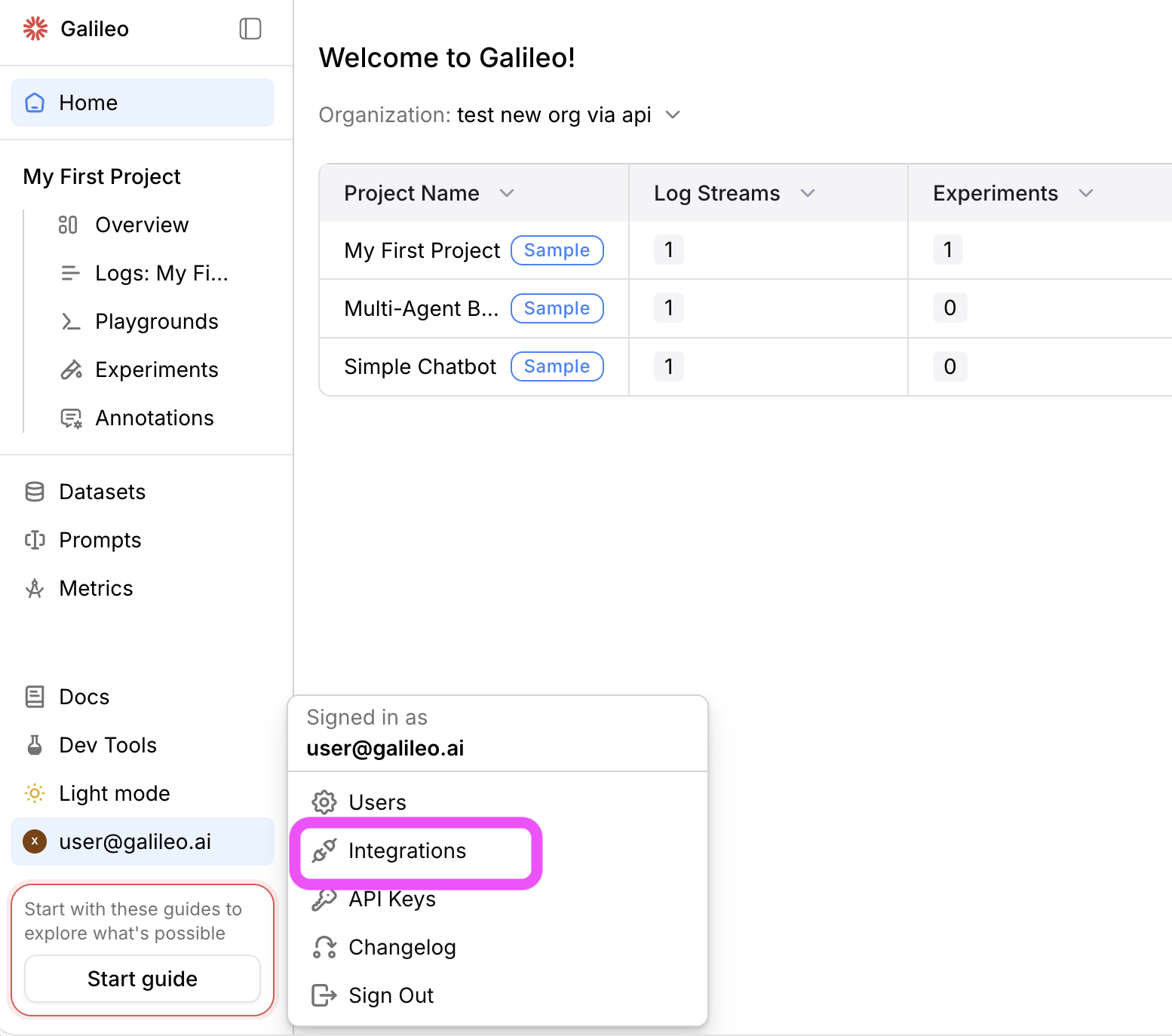 2
2Add an integration
Locate the provider you are using or specify a custom integration. Select the +Add Integration button.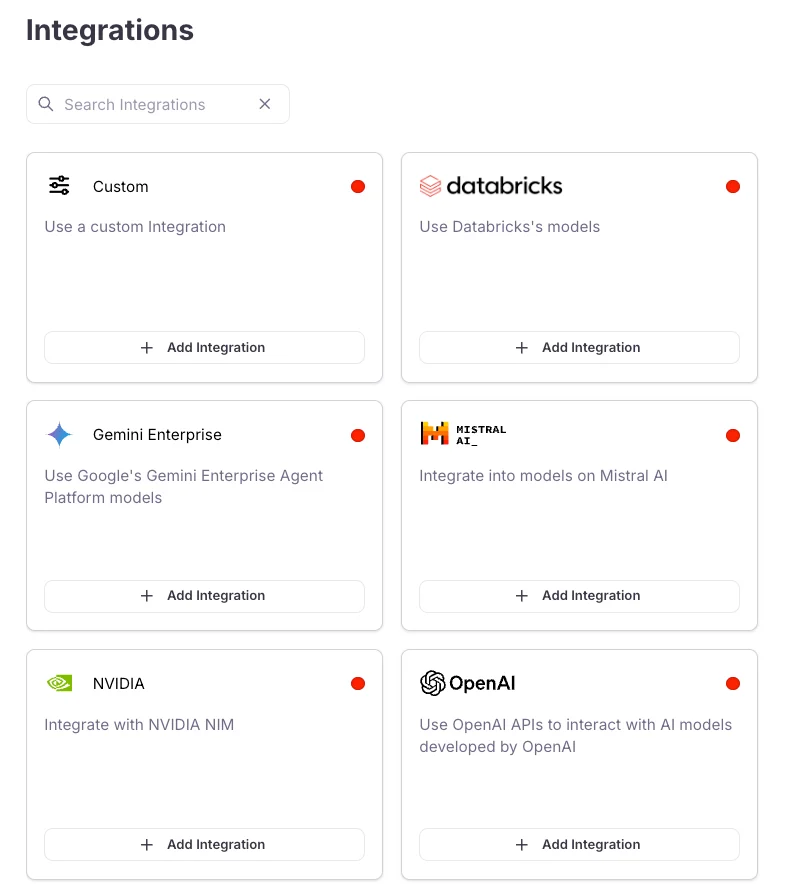 3
3Add settings
Specify settings for your integration (such as an API key), then select Save changes.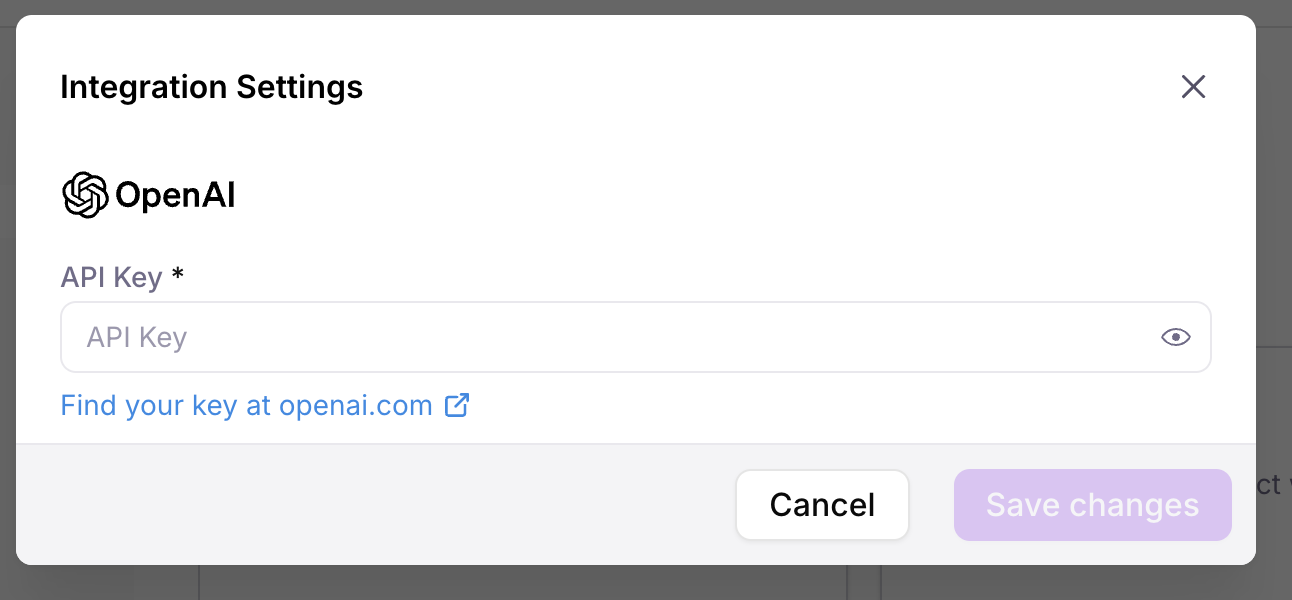
Get the code
1
Clone the SDK examples repo
Terminal
2
Navigate to the relevant project folder
Start by navigating to the root folder for the programming language you are using:
The Python code for the sample is in a folder called
after. If you want to learn more about adding logging with Galileo to a LangGraph app, check out the add evaluations to a multi-agent LangGraph application cookbook.SDK Examples
Check out sample projects using Galileo
Set up Pinecone
This project uses Pinecone as a vector database to power a RAG agent that retrieves data around the fictional credit cards offered by a bank. Before you can run the app, you will need to upload the documents.1
Configure environment variables
In each project folder is a
.env.example file. Rename this file to .env and populate the PINECONE_API_KEY value. You can leave the other values for now as you will populate them later2
Upload the documents
There is a helper script in the This will take a few seconds, and a successful run should look like:
scripts folder. Run this script to create a new index in Pinecone and upload the documents.Terminal
Run the code
1
Install required dependencies
From the project folder, Install the required dependencies. For Python, make sure to create and activate a virtual environment before installing the dependencies.
2
Configure environment variables
In your Next populate the values for your LLM:
.env file, populate the Galileo values:You can find these values from the project page for the multi-agent banking chatbot sample page in the Galileo Console.
3
Run the project
Run the project with the following command:If you are using the Python version, the app will be running at localhost:8000, so open it in your browser.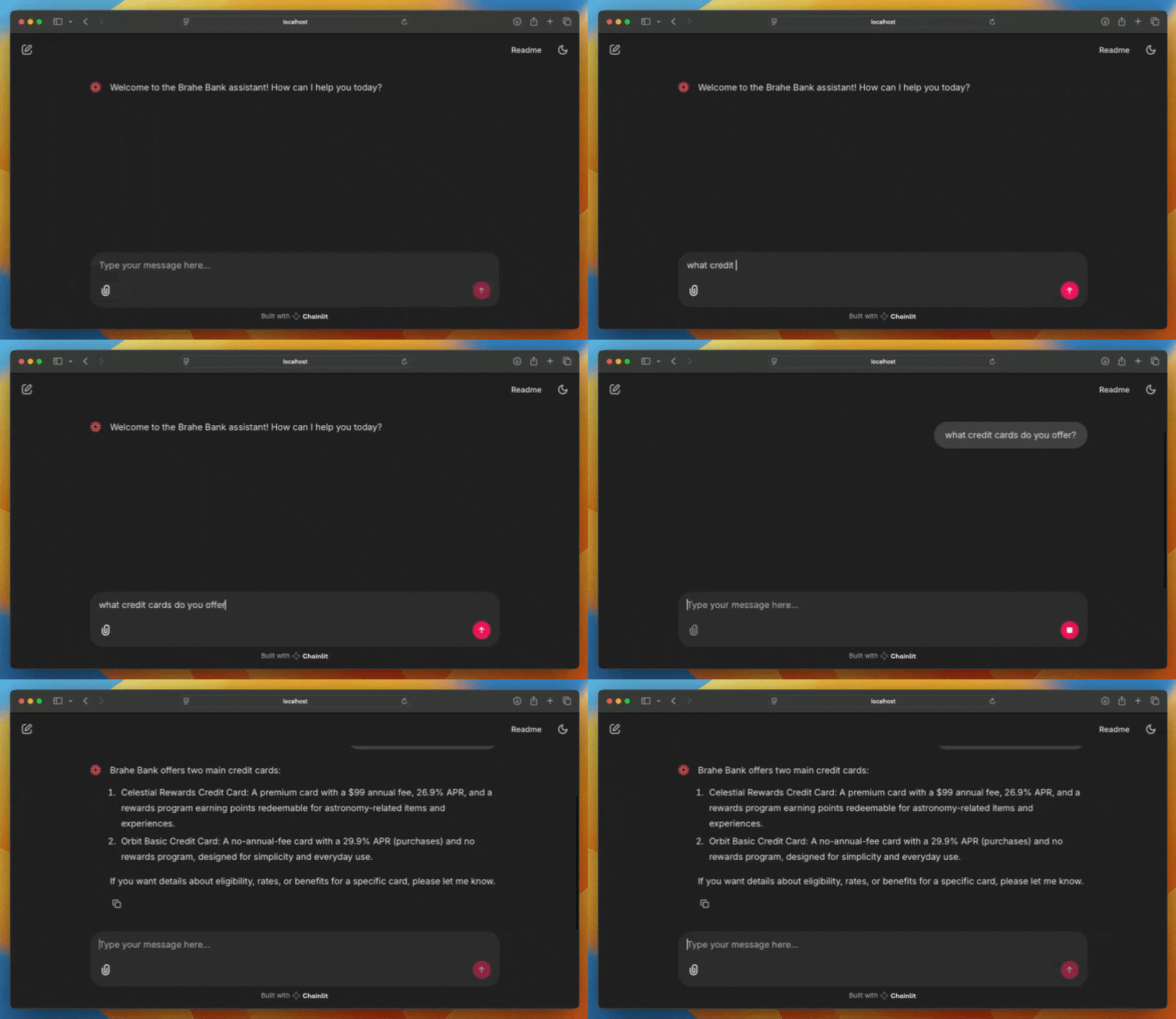
- The different credit cards offered by the bank
- Your credit score
Improve the app
The insights you viewed earlier suggested improving how the supervisor agent processes messages, especially with credit scores. You can try this out to see what issues might occur:Terminal
Terminal
Run the sample app as an experiment
Galileo allows you to run experiments against datasets of known data, generating traces in an experiment Log stream and evaluating these for different metrics. Experiments allow you to take a known set of inputs and evaluate different prompts, LLMs, or versions of your apps. This sample project has a unit test that runs the chatbot against a pre-defined dataset, containing a mixture of sensible and irrelevant questions:dataset.json
1
Run the unit test
Use the following command to run the unit test:
2
Evaluate the experiment
The unit test will output a link to the experiment in the Galileo Console:Follow this link to see the metrics for the experiment Log stream.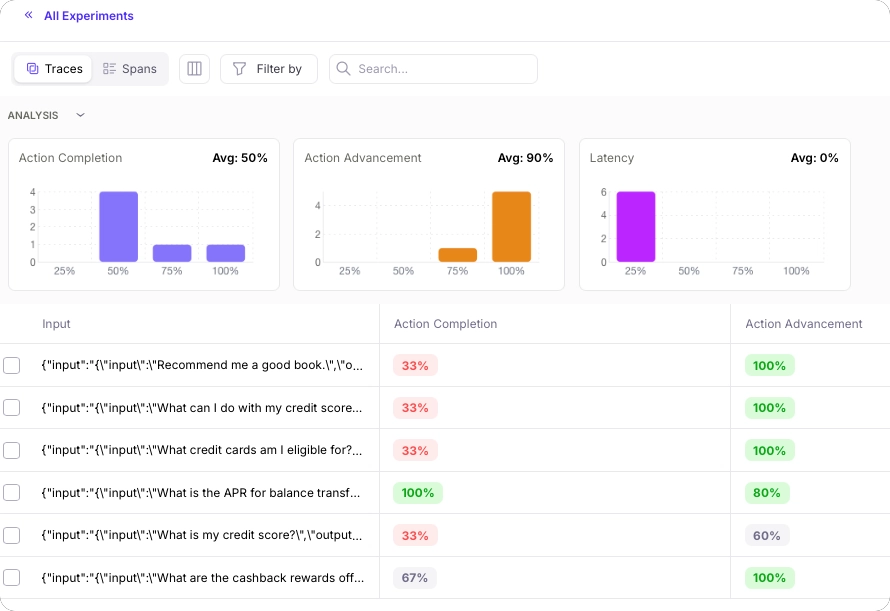
Terminal
3
Try different supervisor agent prompts
Experiment with different supervisor agent prompts. Edit the supervisor agent prompt in the app, then re-run the experiment through the unit test to see how different supervisor agent prompts affect the metrics.
4
Compare experiments
If you navigate to the experiments list using the All Experiments link, you will be able to compare the average metric values of each run.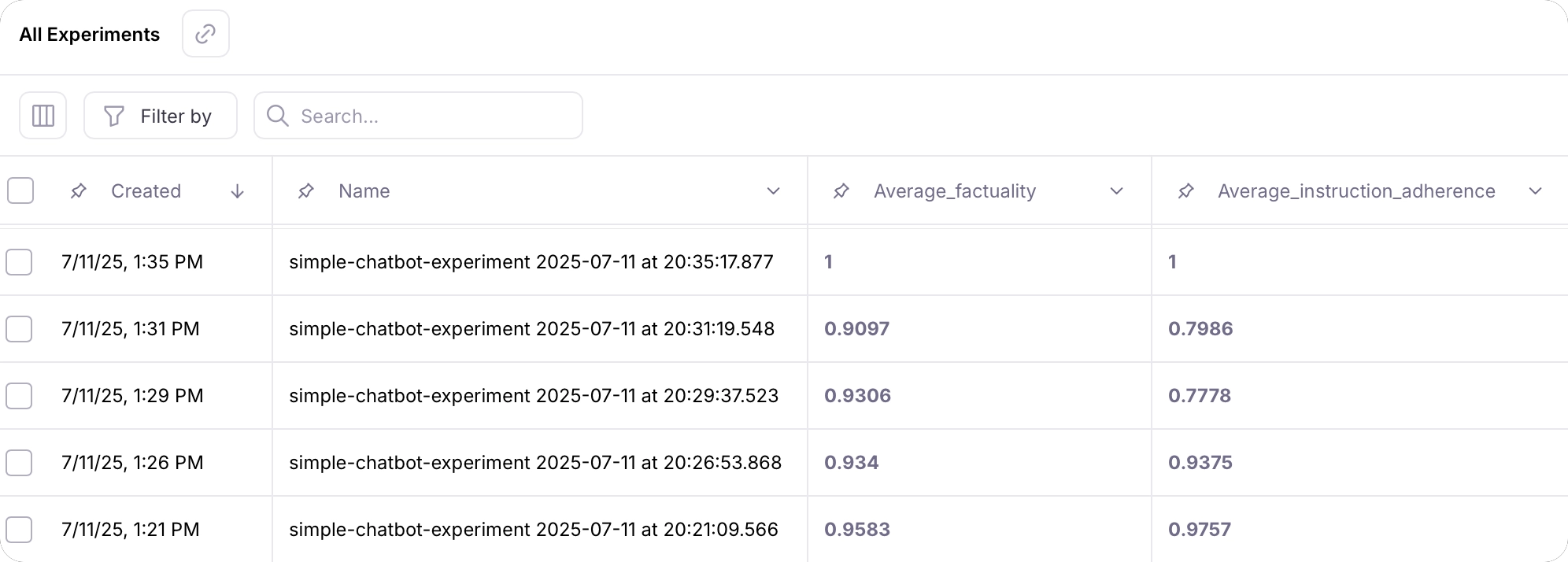
Next steps
Logging with the SDKs
Learn how to log experiments
Learn how to run experiments with multiple data points using datasets and prompt templates
Galileo logger
Log with full control over sessions, traces, and spans using the Galileo logger.
Log decorator
Quickly add logging to your code with the log decorator and wrapper.
Galileo context
Manage logging using the Galileo context manager.
How-to guides
Log Using the OpenAI Wrapper
Learn how to integrate and use OpenAI’s API with Galileo’s wrapper client.
Python
Python
Log Using the @log Decorator
Learn how to use the Galileo @log decorator to log functions to traces
Python
Python
Create Traces and Spans
Learn how to create log traces and spans manually in your AI apps
Python
Python
SDK reference
Python SDK Reference
The Galileo Python SDK reference.
TypeScript SDK Reference
The Galileo TypeScript SDK reference.