Documentation Index
Fetch the complete documentation index at: https://docs.galileo.ai/llms.txt
Use this file to discover all available pages before exploring further.
Overview
This guide shows you how to log spans to Galileo using the @log decorator in Python, or the log wrapper in TypeScript to log function calls using the async OpenAI SDK as LLM spans.
In this guide you will:
- Set up a project with Galileo
- Create a basic app to call OpenAI
- Add logging with the log decorator
Before you start
To complete this how-to, you will need:
Install dependencies
To use Galileo, you need to install some package dependencies, and configure environment variables.
Install Required Dependencies
Install the required dependencies for your app. If you are using Python, create a virtual environment using your preferred method, then install dependencies inside that environment:pip install "galileo[openai]" python-dotenv
Create a .env file, and add the following values
# Your Galileo API key
GALILEO_API_KEY="your-galileo-api-key"

# Your Galileo project name
GALILEO_PROJECT="your-galileo-project-name"

# The name of the Log stream you want to use for logging
GALILEO_LOG_STREAM="your-galileo-log-stream"

# Provide the console url below if you are using a
# custom deployment, and not using the free tier, or app.galileo.ai.
# This will look something like “console.galileo.yourcompany.com”.
# GALILEO_CONSOLE_URL="your-galileo-console-url"

# OpenAI properties
OPENAI_API_KEY="your-openai-api-key"

# Optional. The base URL of your OpenAI deployment.
# Leave this commented out if you are using the default OpenAI API.
# OPENAI_BASE_URL="your-openai-base-url-here"

# Optional. Your OpenAI organization.
# OPENAI_ORGANIZATION="your-openai-organization-here"
This assumes you are using a free Galileo account. If you are using a custom deployment, then you will also need to add the URL of your Galileo Console:GALILEO_CONSOLE_URL=your-Galileo-console-URL
Create the basic app to call OpenAI
Create a file for your application called app.py or app.ts.
Add the following code to call OpenAI to ask a question
import os
import asyncio
import openai
from dotenv import load_dotenv

load_dotenv()

client = openai.AsyncOpenAI(api_key=os.environ.get("OPENAI_API_KEY"))

async def prompt_open_ai(prompt: str) -> str:
    response = await client.chat.completions.create(
        model="gpt-4o-mini",
        messages=[{"role": "user", "content": prompt}],
    )
    return response.choices[0].message.content.strip()

async def main():
    prompt = "Explain the following topic succinctly: Newton's First Law"
    response = await prompt_open_ai(prompt)
    print(response)

if __name__ == "__main__":
    asyncio.run(main())
package.json file:{
"type": "module",
... // Existing contents
}
Run the app to ensure everything is working
You should see a description of Newton’s first law.(.venv) ➜ python app.py
Newton's First Law, also known as the Law of Inertia, states that an object
at rest will stay at rest and an object in motion will stay in motion with
the same speed and in the same direction, unless acted upon by an
unbalanced force. In simpler terms, it means that an object will keep doing
what it's currently doing until a force makes it do something different.
This law is fundamental to understanding motion and forces as it pertains
to physics.
Add simple logging with the Galileo log decorator or wrapper
Galileo has a @log decorator in Python, and a log wrapper in TypeScript that logs function calls as spans. If these decorated or wrapped calls are called whilst there is an active trace, they are added to that trace. If there is no active trace, a new one is created for this span.
In this guide, you will be adding the decorator or wrapper to log the function that calls OpenAI.
Import the log decorator
At the top of your file, add an import for the log decorator: Decorate or wrap the function
Update the function definition to include the decorator or wrapper:@log(span_type="llm", name="OpenAI GPT-4o-mini")
async def prompt_open_ai(prompt: str) -> str:
Run the app
When the app runs, the span will be logged automatically, with the input as the prompt, the output as the returned response. The duration will also be logged. View the logged trace
From the Galileo Console, open the Log stream for your project. You will see a trace with a single span containing the logged function call.Select the trace to see a detailed view: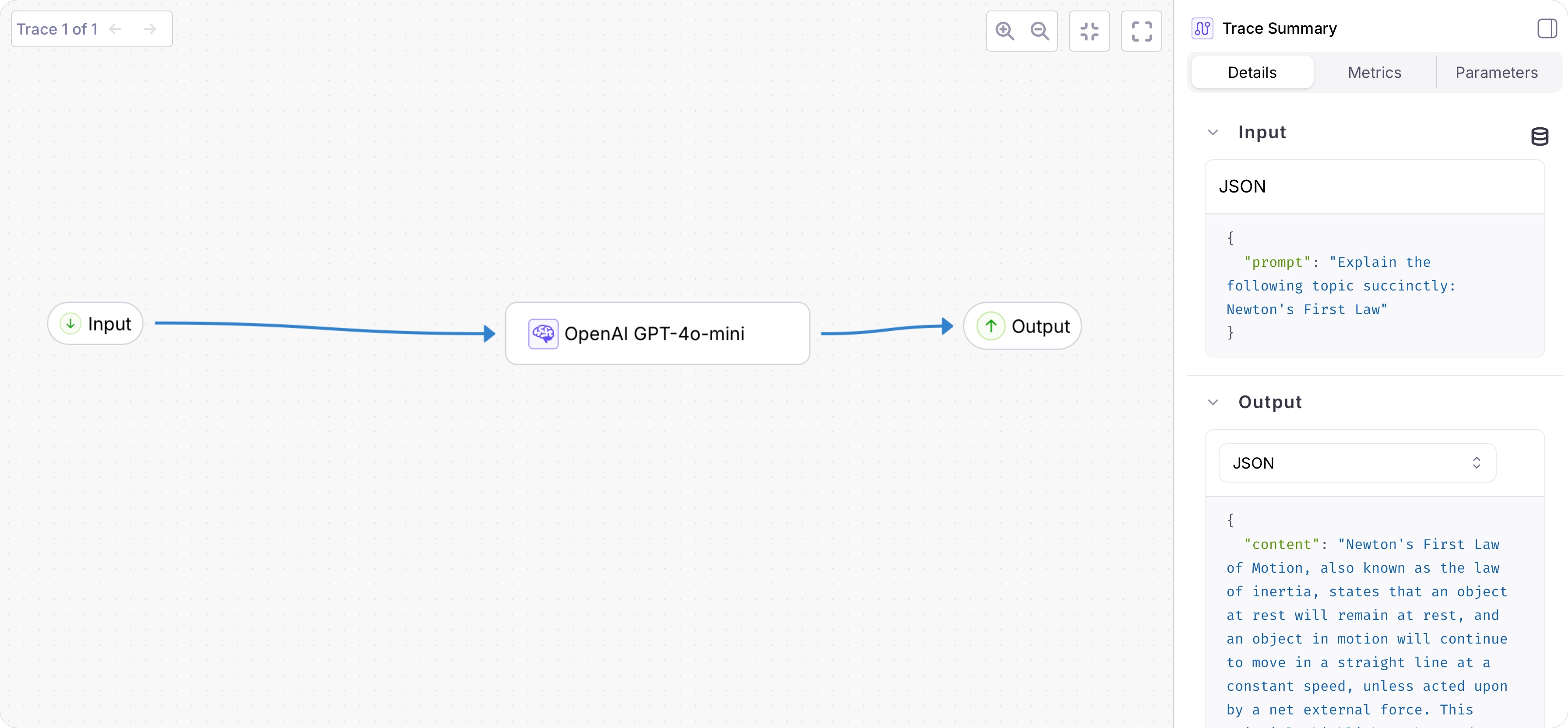 Select the OpenAI span to see the latency.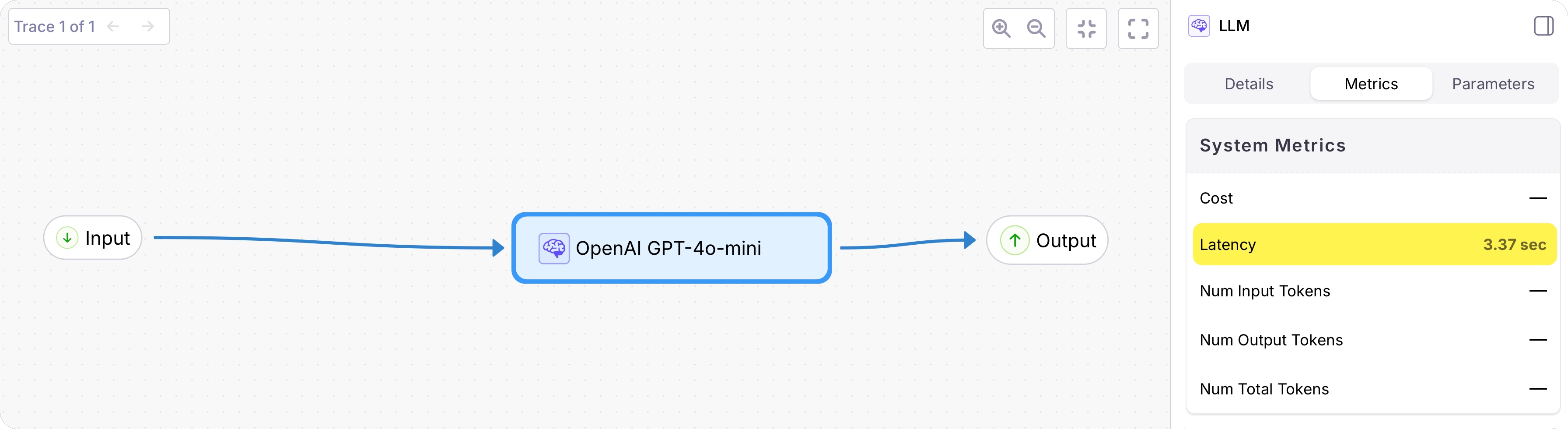
See also

