

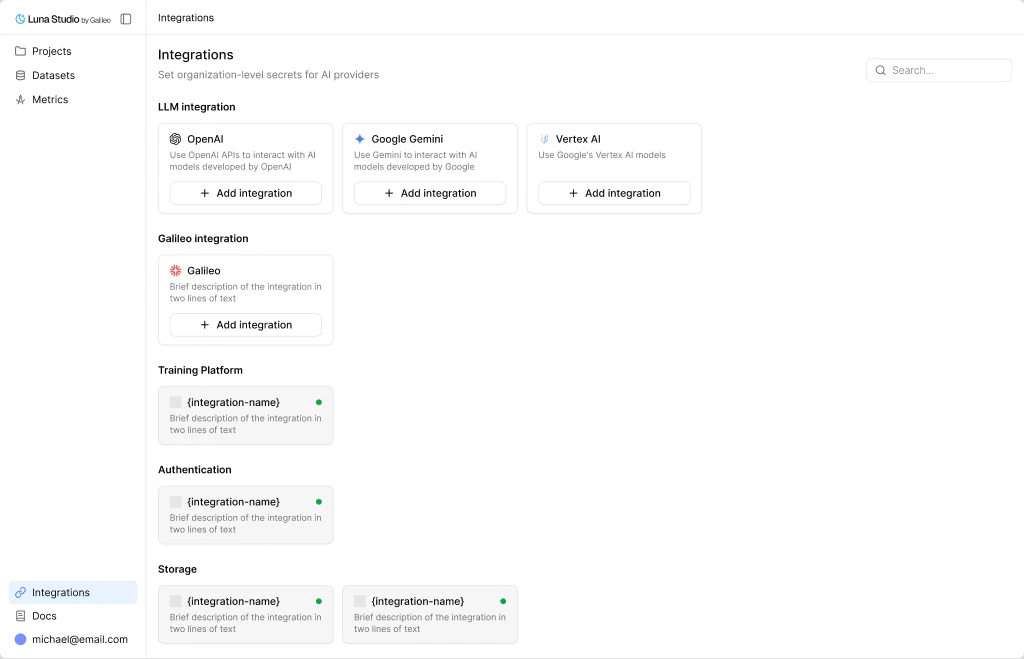
The Integrations page is where you connect the external services Luna Studio needs. Integrations are org-scoped - once added, every project in your org can use them.Documentation Index
Fetch the complete documentation index at: https://docs.galileo.ai/llms.txt
Use this file to discover all available pages before exploring further.
What integrations are for
Luna Studio works with two kinds of integrations:- Runtime integrations - connect the services Luna Studio uses while the app is running, such as LLM providers and Galileo.
- Deployment integrations - connect the training platform Luna Studio uses behind the scenes for fine-tuning jobs.
Runtime integration types
LLM providers
Use an LLM integration when you want Luna Studio to work with a hosted provider, a cloud-managed deployment, or your own internal model endpoint. Supported setups include:- named providers such as OpenAI, Anthropic, Mistral, and others
- Azure
- Vertex AI
- AWS-hosted models
- Custom models and proxies
Galileo
The Galileo integration is a single API key that unlocks platform-level features such as importing datasets from Galileo and registering metrics back to Galileo.Training platforms
Luna Studio also supports training platform integrations for the infrastructure that runs fine-tuning jobs:Vertex AI PipelinesAzureML PipelinesSageMaker PipelinesKubernetes
Where to go next
LLM providers
Choose the right provider setup for your team and see what credentials you’ll need.
Galileo integration
The single API key that unlocks platform features.