

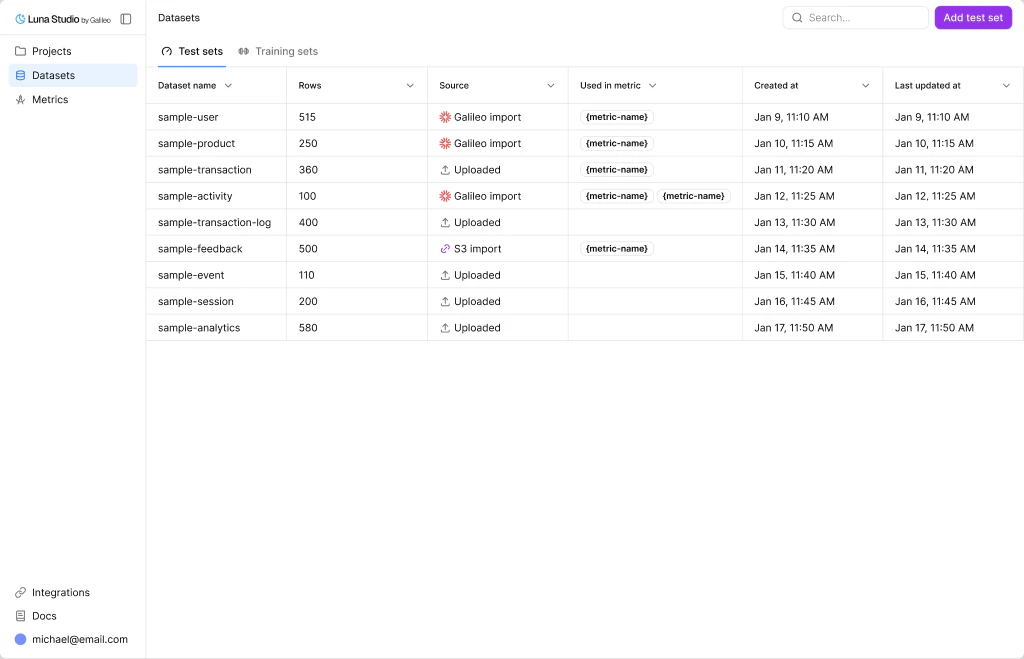
Datasets page with the Test sets and Training sets tabs
Test sets vs. training sets
Luna Studio splits datasets into two flavors, accessible via tabs on the page:Test sets
Small, human-labelled datasets used to evaluate fine-tuned metrics. Required for every run.
Training sets
Larger datasets used to fine-tune the base model. Often generated from a test set.
How datasets relate to runs
Each training run consumes exactly one test set and one training set. The same dataset can be reused across many runs. The Used in metric column on the datasets table shows you which metrics’ fine-tuning depends on a dataset — useful before deleting one.Source types
The source picker accepts JSONL during ingestion, but the current run-validation and data-generation paths read CSV. Convert JSONL to CSV before using the dataset in a run.
- Generated — produced by the Generate from test set flow inside the run creation flow.
Where to go next
Test sets
What test sets are, schema rules, and best practices.
Training sets
What training sets are and how to create or reuse them.
Add a dataset
Reference for the three dataset sources (Upload, URL, Galileo).
Dataset validation
What Luna Studio checks when a dataset is used in a run.