

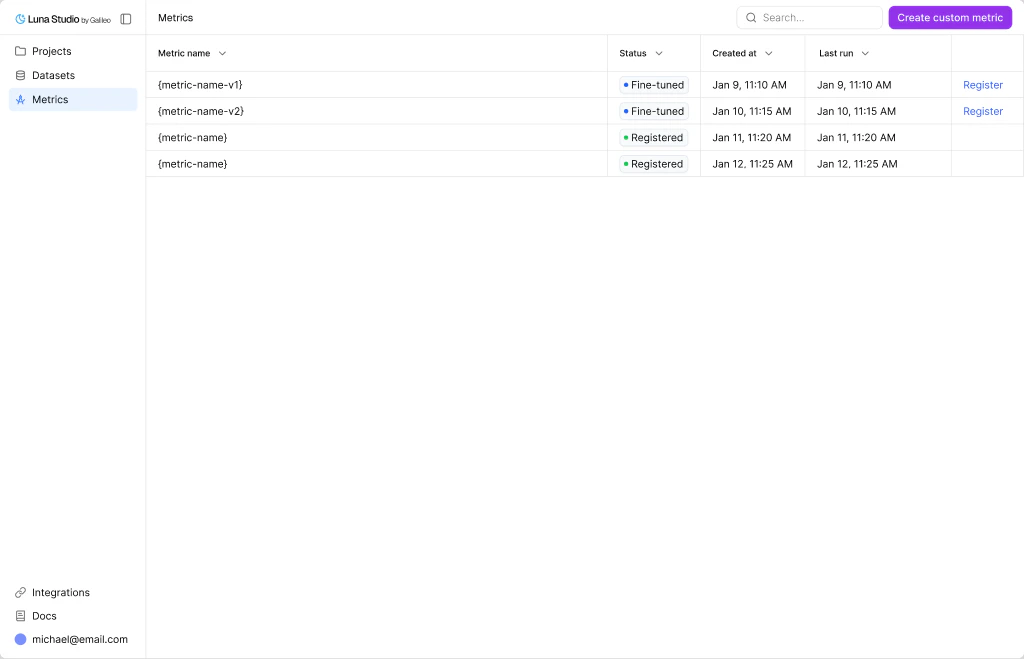
Metrics page listing every finetuned / registered metric with its status, source run, and last update
Register a metric
Once a metric reaches Fine-tuned, the Register metric action appears in the row’s Actions cell. Clicking it opens the same modal documented in Register a metric. This page does not run registration preflight before opening the modal; backend checks can still reject the submission, for example when the Galileo connection or metric contract is unsupported.Where to go next
Step 1 — Metric
Pick a template or write a custom prompt in the run creation flow.
Run lifecycle
Understand the statuses behind each metric’s source run.
Register a metric
Publish an eligible Fine-tuned metric to the Galileo metrics store.
Creating a new run
Launch a training run that produces a metric.