

/{org} (and the Luna Studio logo always returns you here).
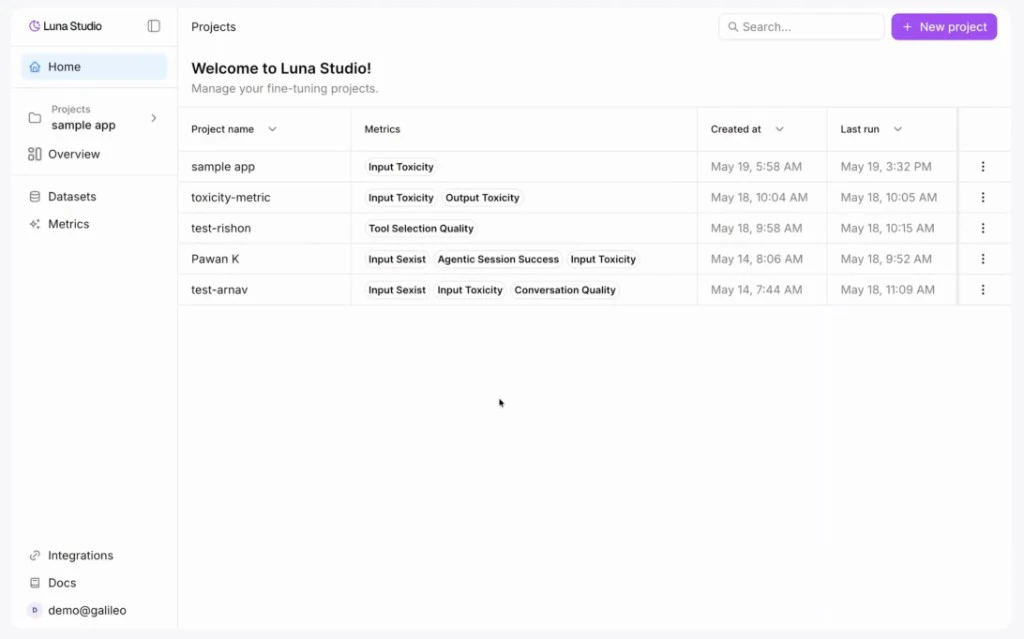
Projects page listing every project in your organization
Projects table
The projects table shows every project in your org, with these columns:
Click any row to open the project’s Training runs page.
Top-bar actions
- Search — the input on the right of the page header filters projects by name.
- New project — primary button on the right. Opens the create project modal.
Naming projects
There’s no strict format, but a few patterns work well:- GenAI use case —
customer-support-copilot,enterprise-search-assistant. - Team or domain + use case —
sales-engineering-assistant,hr-policy-assistant. - Versioned —
customer-support-copilot-v2,enterprise-search-assistant-v3for iterating on the same use case.
Delete a project
Open the… action menu on a project row and click Delete project. The action is destructive — Luna Studio will prompt you to confirm before deleting.
How projects relate to other concepts
- Datasets are organization-wide and can be reused across projects. LLM provider integrations can come from a personal override or an administrator-managed workspace default.
- Runs and metrics are project-scoped — they live inside one project.
Where to go next
Training runs home
The main project workspace: stats, filters, and the runs table.
Creating a new run
The four-step flow for launching a training run.